Car Connect & dashboard
TareenAuto & Vehicles
3.312.00 Reviews
- Version
- 1.15
- Installs
- 10.00K
- Age Rating
- Everyone
Screenshots
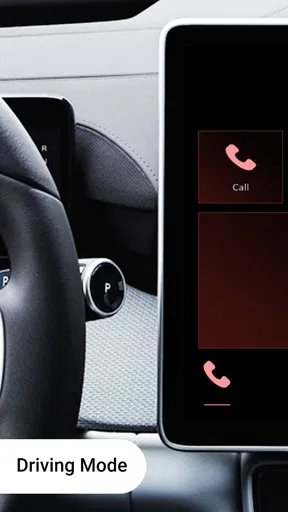
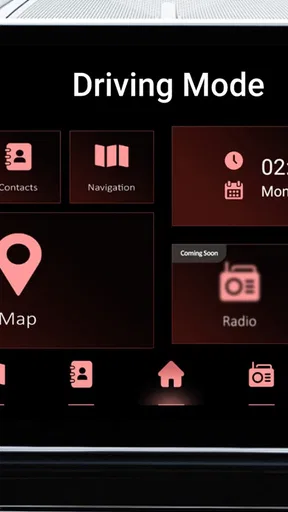
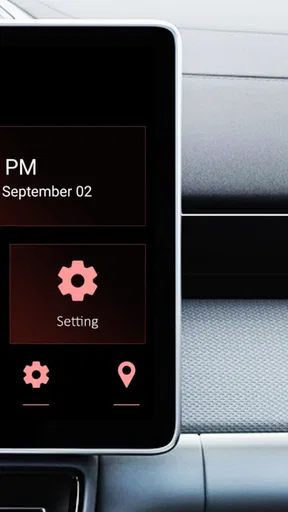
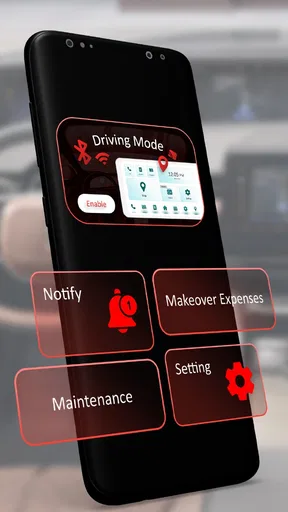
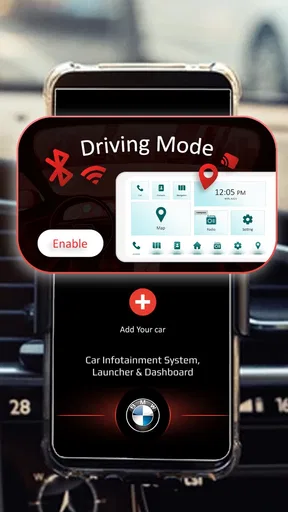
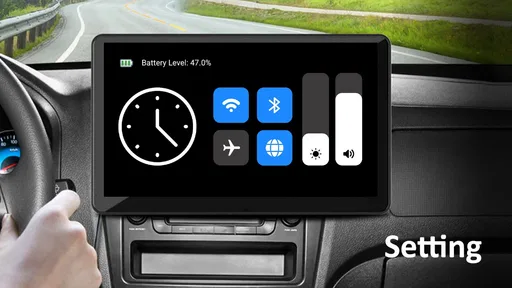
Our Review of Car Connect & dashboard
 Analysis by Appyee
I tested Car Connect & dashboard as an Android app for the Auto & Vehicles category, and my first impression was that it is aimed at a very specific problem: making the phone and the car’s infotainment screen work together more conveniently. The idea is simple, but the quality of the experience depends heavily on the phone, the vehicle, and the way both are used during a drive. I would not treat it as a universal replacement for every built-in dashboard system. I see it more as a practical connection tool for drivers who want their phone to play a more central role in the car.
The app is developed by Tareen and is free to install, although it includes optional purchases ranging from $4.99 to $24.99 per item. It is rated for Everyone, which makes its presentation approachable for a broad audience. The current release is version 1.15, and it runs on Android 8.0 or later. Those details matter because an older phone may technically meet the operating-system requirement while still feeling less responsive during a demanding drive.
How Car Connect & dashboard feels during everyday use
I find this app easiest to judge by the small routine around a trip, not by the connection idea alone: getting the phone ready while parked, checking the car’s selected source, and deciding what should stay on screen. That routine can make a phone-based dashboard feel manageable, while also showing where it asks for more attention than a built-in system. The next section looks at the practical controls and choices that shape that experience.
Speed expectations when starting a journey
In my experience, the most important speed test is not how quickly an app opens on a desk. It is how quickly it becomes useful when I am already sitting in the car, the engine is running, and I want the dashboard connection ready before leaving. Car Connect & dashboard makes the most sense when it is prepared before the trip rather than treated as something to configure while moving.
The app’s purpose naturally creates a short chain of dependencies. The phone must be ready, the car infotainment system must accept the connection, and the display must respond properly. If any part of that chain is slow, the app can feel slow even when the application itself is behaving normally. That is why I would judge its perceived speed as a complete setup rather than by launch time alone.
A useful habit is to open the app while parked, check that the phone is unlocked if required by the vehicle, and only then begin driving. This avoids turning the first few minutes of a trip into a troubleshooting session. It also gives me a chance to notice whether the car has selected the correct input or whether another connected device has taken priority.
For short errands, this preparation may seem excessive. For longer journeys, it is worthwhile. A few seconds spent arranging the connection before pulling away is safer and less frustrating than repeatedly looking down at the phone after departure. The best performance improvement is often a calmer setup routine, not repeated tapping.
What happens during heavier use
The demanding moments come when the phone is doing several things at once: maintaining the dashboard connection, handling navigation, playing audio, and responding to incoming activity. Car Connect & dashboard is not operating in isolation in that situation. The available memory, battery condition, background apps, and the phone’s general age can all affect how smooth the session feels.
On a newer device with enough free resources, I would expect the experience to feel more comfortable than on an older budget phone carrying many background processes. That is not a special promise from the app; it is a practical limitation of using a phone as part of an in-car system. If the handset already hesitates when switching between ordinary apps, adding a vehicle connection is unlikely to make it feel faster.
I also recommend beginning a journey with unnecessary apps closed. This is especially useful when the trip will involve navigation and audio together. Reducing background activity can make it easier to identify the real source of a problem. If the dashboard remains stable after closing other apps, the phone was probably under avoidable pressure. If the connection still drops, the issue may be elsewhere in the setup.
Heat is another point worth considering. A phone mounted near a windshield can become warm from sunlight, and charging at the same time can increase the strain. Even without a specific temperature warning from the app, a hot phone may reduce its own performance to protect the hardware. I would therefore position the device where it remains visible but is not exposed unnecessarily to direct sun.
Heavy use also exposes the difference between a dashboard connection and a traditional built-in system. A built-in unit is designed around the vehicle, while this app depends on a general-purpose phone. The phone brings flexibility, but it also brings notifications, battery pressure, and the possibility that another application will compete for attention.
Stability and recovering from an interrupted connection
Reliability is more important here than visual polish. A connection that works perfectly at home but fails after the car is restarted is not dependable enough for regular driving. My preferred way to evaluate Car Connect & dashboard is to think about recovery: what happens after the phone briefly loses contact, the car changes input, or the user leaves and returns to the vehicle?
The sensible approach is to recover in stages. First, I would check the car’s selected source. Next, I would confirm that the phone itself is still active and that the app has not been pushed into the background. Only after those simple checks would I restart the app or reconnect. This order avoids unnecessary resets and makes the source of the problem easier to understand.
One practical tip is to avoid changing several things at once. If I switch the vehicle input, restart the app, toggle the phone connection, and reboot the car simultaneously, I may restore the system without learning what caused the failure. A slower, one-step-at-a-time recovery process is more useful when the same problem appears later.
Restarting the car can also change the behavior of the infotainment system. Some vehicles remember the last source, while others return to a default screen. Because that behavior belongs to the vehicle as much as to the app, I would not blame Car Connect & dashboard automatically when the display does not return to the expected view. The important question is whether the connection can be restored without a long chain of repeated attempts.
I would describe the app as more suitable for drivers who are willing to learn their own vehicle’s connection routine than for someone who expects every start-up to be completely automatic. That is a meaningful distinction. The app can be useful, but the surrounding hardware still determines much of the reliability a driver experiences.
Device limits that affect the experience
The Android 8.0 minimum makes Car Connect & dashboard available to a wide range of phones, but compatibility on paper is not the same as comfort in use. A device may run the app while still having limited memory, an aging battery, or a slower processor. Those conditions can become noticeable when the phone is also managing navigation, audio, and the car connection.
I would be cautious about using a nearly full phone for this purpose. Storage pressure does not automatically prevent an app from working, but a phone that is constantly managing limited space is not an ideal foundation for a dependable dashboard routine. Keeping the operating system and the app in a stable condition is a basic but worthwhile preparation step.
Screen size also changes the practical experience. A compact phone may be easy to mount but less comfortable for glancing at information. A larger phone can be easier to read, yet it may block more of the driver’s view or require a stronger mounting position. The app cannot solve a poor placement decision, so I would prioritize visibility and safe reach over finding the largest possible display.
Battery condition deserves attention too. A phone with a tired battery may lose power quickly during a long drive, especially when the screen stays active or the device is charging in a warm location. I would test the arrangement on a parked vehicle before relying on it for an unfamiliar route. This is one of the less obvious trade-offs of using a phone-based dashboard: convenience can increase dependence on the handset’s physical condition.
There is also a difference between a personal phone and a spare device. A spare phone can reduce interruptions from personal messages and calls, but it may be older and slower. A primary phone is usually more capable, yet it brings more distractions. Car Connect & dashboard is more convincing when the user has already decided how the phone will be dedicated to driving rather than expecting the app to organize that decision for them.
A realistic daily scenario
Imagine leaving work for a grocery run in an unfamiliar part of town. I would place the phone securely, open Car Connect & dashboard while parked, and confirm that the car is using the intended infotainment source. Before moving, I would set the route and close anything unrelated to the drive. If the connection works, the appeal is clear: the phone becomes a more direct part of the vehicle experience without requiring a separate navigation device.
Now imagine stopping briefly, turning the car off, and returning a few minutes later. This is where expectations should remain realistic. I would check whether the vehicle restored the same input and whether the phone remained ready. If it did not, I would follow a short recovery routine instead of repeatedly pressing controls while driving. The app is most useful when it supports a prepared workflow, not when it becomes another distraction.
For a delivery worker or someone who spends much of the day on the road, the value depends on consistency. A driver who already knows the phone and vehicle work well together may appreciate the convenience. A driver whose handset overheats, loses power, or frequently switches between connections may find that the extra layer creates more maintenance than benefit.
How it compares with familiar alternatives
The usual alternative is the car’s own infotainment system. Built-in systems generally have the advantage of being integrated into the vehicle and ready for the controls the manufacturer provides. They may feel more predictable because they are not dependent on the phone’s battery, background load, or mounting position. If your car already offers everything you need, Car Connect & dashboard may add little.
Another alternative is using the phone by itself in a secure mount. That approach can be simpler because it removes one connection layer. It may also be easier to troubleshoot: if the phone works, the driver has the information directly in front of them. The disadvantage is that the experience may feel less connected to the vehicle’s screen and controls.
A separate navigation device is another option, particularly for drivers who want a dedicated screen and do not want their personal phone involved. Dedicated hardware can reduce phone-related distractions and battery concerns, but it adds another device to purchase, mount, update, and maintain. Car Connect & dashboard is more attractive to someone who wants to use existing hardware rather than carry a separate unit.
For me, the deciding factor is not whether the app replaces every alternative. It is whether it improves the particular car-and-phone combination I already own. If the vehicle’s screen is limited and the phone is reliable, the app has a sensible role. If the built-in system is already smooth or the phone is unreliable, the conventional option is probably better.
Who should use it and who should skip it
I would recommend Car Connect & dashboard to drivers who want a straightforward way to bring their phone more closely into the car experience, especially those comfortable with a short setup routine. It also suits people who prefer using their existing Android device instead of buying dedicated dashboard hardware. The free entry point makes it easy to test the basic fit with a particular vehicle before deciding whether optional purchases are worthwhile.
I would be more cautious if you expect a completely hands-off experience from every car start. The app’s usefulness is tied to the vehicle’s infotainment behavior and the phone’s condition, so there are situations where the surrounding setup will matter more than the application itself. Drivers with an older, slow, hot, or heavily loaded phone should test it carefully rather than assuming the minimum operating-system requirement guarantees a smooth session.
I would also skip it if your car already provides a dependable dashboard connection that meets your needs. Adding another method can introduce confusion about which system is active. In that case, simplicity has more value than extra flexibility.
Cost, maturity, and overall confidence
Car Connect & dashboard is free to download, with optional in-app purchases priced from $4.99 to $24.99 per item. I would spend only after testing the connection in the actual vehicle, because the most important question is not whether the app looks useful in isolation. It is whether the phone, car, and daily driving routine cooperate consistently.
The app has passed the early experimental stage enough to have a current version of 1.15, but its average rating is 3.3 from over thirty ratings, alongside a dozen written reviews. I read that as a reason to keep expectations measured rather than as an automatic rejection. The rating suggests that the experience may vary between users, which makes device and vehicle testing especially important.
Its reach is still modest, with over ten thousand installs, so I would approach it as a focused utility rather than a universally established dashboard standard. That can be perfectly acceptable for a niche tool, but it reinforces the need to judge it on your own setup. A connection app is only as good as the routine it creates in the car where you intend to use it.
My performance verdict
My final view is that Car Connect & dashboard is a practical, narrowly focused Android app with a reasonable use case, but it should not be treated as magic glue between every phone and every vehicle. Its perceived speed depends on preparation, its behavior under heavy use depends on the handset, and its reliability depends partly on how the car handles infotainment connections.
The strongest way to use it is to prepare while parked, reduce unnecessary background activity, keep the phone cool and charged, and learn a simple recovery sequence for interruptions. Those steps make the experience more predictable and reduce the temptation to troubleshoot while driving. They also reveal quickly whether the app is genuinely helping or merely adding another layer.
My recommendation is to try it when your vehicle’s built-in options feel limited and your phone is in good shape, but choose the built-in system or a dedicated device when consistency matters more than flexibility. For the right driver, it can make an existing phone-and-car setup more useful. For everyone else, its value will depend less on the promise of connection and more on whether the complete setup remains stable during real journeys.
Verdict
Strengths of Car Connect & dashboard
- Simple dashboard layout keeps essential driving information easy to find.
- Quick access to navigation, music, and calls from one central screen.
- Can reduce phone handling while driving when used with a proper mount.
- Useful for older vehicles without a built-in infotainment system.
- Customizable shortcuts make frequently used functions more convenient.
Limitations of Car Connect & dashboard
- Some features may depend on your phone’s GPS, Bluetooth, or internet connection.
- Compatibility can vary between Android and iOS devices and car systems.
- The interface may feel limited compared with modern factory infotainment systems.
- Using the app still requires a secure phone mount for safe viewing.
- Background operation may increase battery use during longer drives.
Similar Picks in This Category
View All
Android Auto
Google LLC4.1

maxim — order a taxi & food
PT. SITO4.7

Штрафы ГИБДД: проверка с фото
Pays LLC – Штрафы ГИБДД4.7

Номерограм – проверка авто
Авто Ассист4.8

Дром Авто
Дром4.9

Frequently Asked Questions
What is Car Connect & dashboard, and what does it do?
Car Connect & dashboard is designed to provide a convenient in-car interface for accessing selected phone functions while driving. Depending on your vehicle and device, it may help organize navigation, music, calls, messages, and other compatible tools in one dashboard. The exact features can vary by Android or iOS version, connected accessories, vehicle system, and the permissions granted during setup.
Is Car Connect & dashboard compatible with my car and smartphone?
Compatibility depends on the version of Car Connect & dashboard, your phone’s operating system, the vehicle’s infotainment system, and the connection method supported by both devices. Some cars may require Bluetooth, USB, Wi-Fi, or a compatible projection platform. Before downloading, check the app listing and your vehicle manual, because an older car or unsupported phone may offer only limited functionality.
Does Car Connect & dashboard work without an internet connection?
Some basic dashboard functions may continue working offline, particularly features that rely on Bluetooth, local settings, or previously downloaded content. However, navigation updates, online searches, traffic information, streaming services, cloud synchronization, and certain voice features generally require mobile data or Wi-Fi. Performance can also depend on whether the connected phone has a stable signal while you are on the road.
Is Car Connect & dashboard safe to use while driving?
The app can make common controls easier to reach, but it should not encourage distracted driving. Set up destinations, playlists, and preferences before starting your journey, and use voice commands or hands-free controls whenever possible. Always follow local traffic laws and your vehicle manufacturer’s guidance. If the interface becomes confusing or demands too much attention, stop safely before interacting with it.
What permissions does Car Connect & dashboard require?
The permissions requested may include Bluetooth or nearby-device access, location, notifications, microphone access, contacts, phone functions, and media controls. These permissions support features such as connecting to the car, providing navigation, reading notifications, making hands-free calls, or using voice commands. Review each request carefully and allow only what you need, since denying permissions can disable related features.
